
Edit sections/main-cart-footer.liquid for B2B Grand Total Pricing
This step ensures the cart’s grand total can be dynamically updated based on B2B pricing rules.
You'll wrap the total price element in a <span> tag with a unique class, which JavaScript can target and update.
Step 1: Access the Code Editor
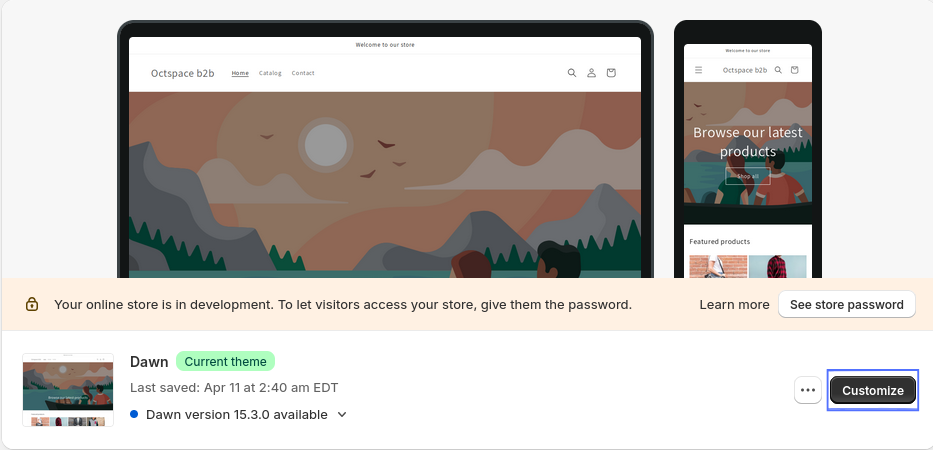
- In your Shopify admin, go to Online Store under Sales Channels.
- Click Customize for your current theme.
- In the top-left corner, click the ⋮ (three dots) and choose Edit Code.

Step 2: Edit sections/main-cart-footer.liquid
- Open the Sections folder in the file explorer.
- Find and click on the main-cart-footer.liquid file.
Step 3: Update Grand Total Markup
Find the following line in the file:
{{ cart.total_price | money_with_currency }}
Replace it with this B2B-friendly version:
<p class="totals__total-value">
  <span class='oct-b2b-grand-total-price-hidden'>
    {{ cart.total_price | money_with_currency }}
  </span>
</p>
Step 4: Save the File
Once you’ve made the change, click Save in the top-right corner. This enables real-time price manipulation for the grand total based on B2B rules via JavaScript.