
Edit snippets/price.liquid for B2B Pricing
This guide walks you through modifying the existing snippets/price.liquid file to support dynamic B2B pricing and quantity break updates. You will wrap price elements with metadata-rich spans that JavaScript can target and update in real-time.
Step 1: Access the Code Editor
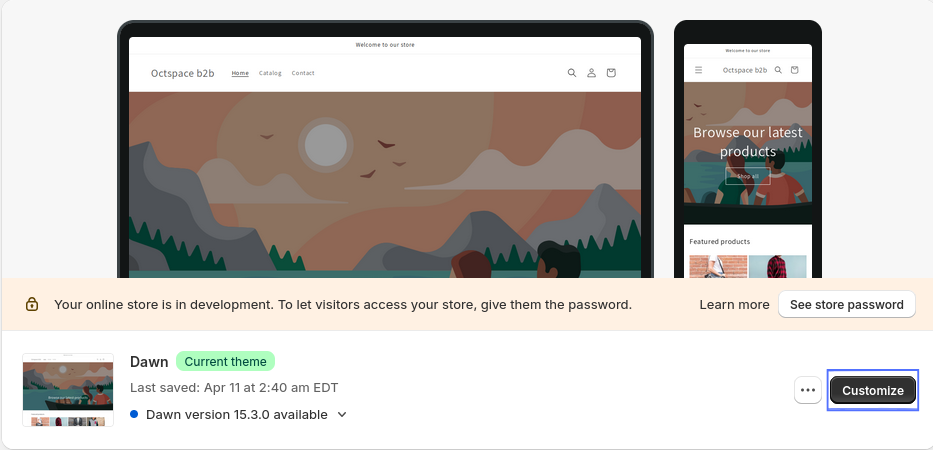
- In your Shopify admin, go to Online Store under Sales Channels.
- Click Customize for your current theme.
- In the top-left corner, click the ⋮ (three dots) and choose Edit Code.

Step 2: Edit snippets/price.liquid
- In the left sidebar, locate the Snippets folder.
- Open the file named price.liquid.
Step 3: Update Price Markup
Locate the original Liquid markup like below inside .price__regular:
<span class="price-item price-item--regular">
  {{ money_price }}
</span>
Replace it with this updated version that includes dynamic B2B pricing metadata:
<span class="price-item price-item--regular">
  <span class='oct-b2b-price-hidden'
        oct-b2b-product-id='{{ product.id }}'
        oct-b2b-product-handle='{{ product.handle }}'
        oct-b2b-variant-id='{{ variant.id }}'>
    {{ money_price }}
  </span>
</span>
Repeat similar wrapping for compare_at_price inside .price__sale and unit pricing sections.
Step 4: Save the File
After replacing the relevant Liquid blocks, click Save to update the snippet and reflect changes on your storefront.